

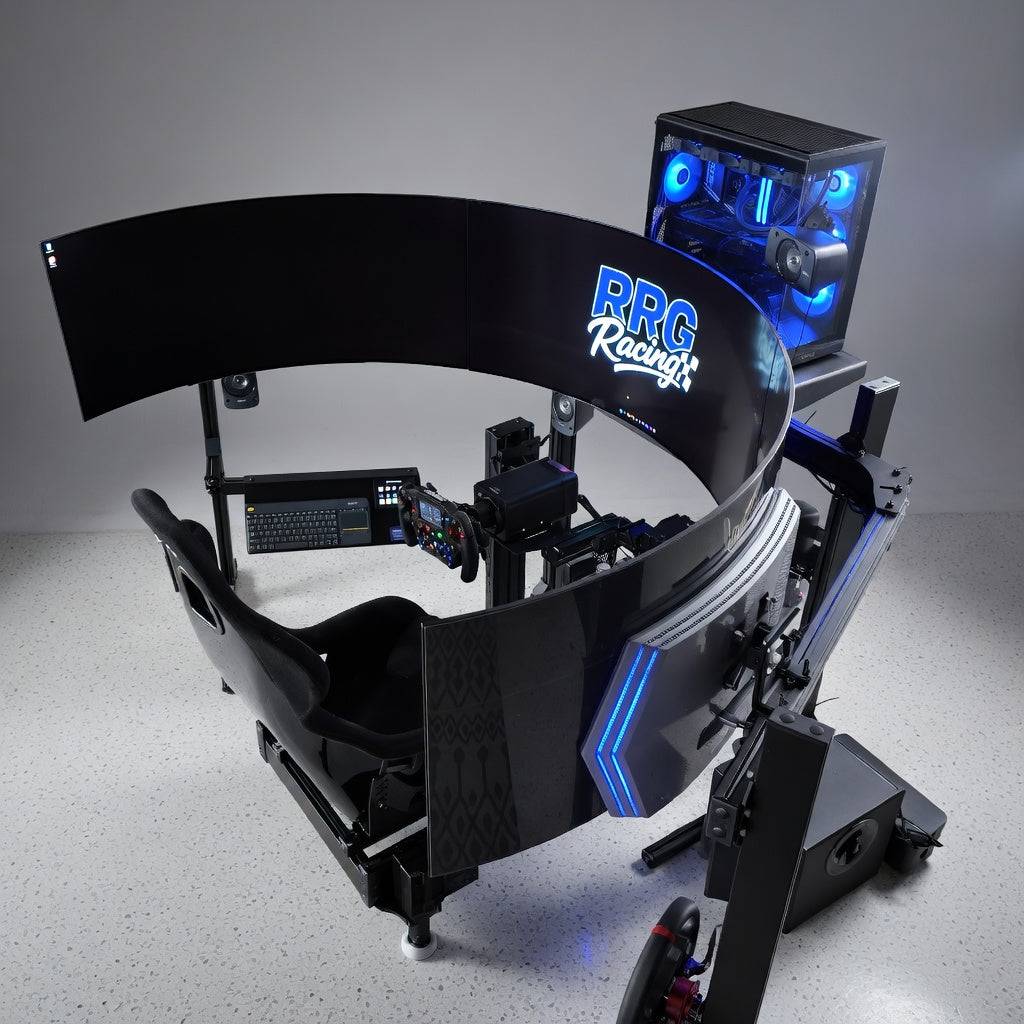
You've got the wheelbase. You've got the pedals. The chassis is solid. And now you're staring at the decision that will define what your simulator actually looks like every time you sit down:
What are you going to look at?
This choice trips people up more than almost any other part of the build because all three options, single screen, triple monitors, and VR, are genuinely good. None of them is the wrong answer. But they each make very different tradeoffs, and understanding those tradeoffs before you spend is the difference between a setup you love for years and one you replace in six months.
The Only Rule That Matters: Field of View
Before we compare hardware, you need to understand the concept that governs all of them.
Field of view, or FOV, is the angular range of the virtual world that your display shows you. Think of it like this: if you were sitting in a real car, your natural forward vision covers roughly 180 degrees or more when you include peripheral vision. On a single monitor two feet from your face, you might be displaying 40 to 50 degrees of that field. On triples, you might cover 150 degrees or more. In VR, you get roughly 100 to 110 degrees depending on the headset, but it moves with your head.
FOV matters because it determines two things: how accurately the world scales visually (which affects your depth perception, speed perception, and spatial judgment) and how much of the track environment you can see at any given moment (which affects your awareness of other cars, corner apexes, and reference points).
Setting your FOV correctly for your display setup is not optional. A wide FOV on a small screen will make everything look distorted and miniature. A narrow FOV on triples will waste two thirds of your screen real estate. Every display option requires its own FOV calculation based on your screen size, distance, and layout geometry.
Most sim titles have FOV calculators built in or available through community tools. Use them. A correct FOV on a modest display will always outperform an incorrect FOV on an expensive one.
Single Monitor: The Starting Point That's Better Than You Think
A single monitor gets dismissed too quickly in the sim racing world, and that's a mistake. A well chosen single screen, properly positioned with correct FOV, is a completely viable platform for competitive and enjoyable sim racing.
What Works
Simplicity. One screen, one cable, one mount. No alignment issues, no bezel gaps, no multi monitor configuration headaches. You plug it in, set your FOV, and drive.
Cost efficiency. A quality 32" to 49" ultrawide monitor costs a fraction of a triple monitor setup when you factor in the screens, the mount, and the GPU power to drive them all. That money saved can go toward better pedals, a better wheelbase, or simply staying under budget.
GPU requirements. A single screen at 1440p or even 4K is well within the capability of a modern mid range graphics card. You can run higher detail settings, higher frame rates, or both, without needing a top tier GPU.
49" ultrawides bridge the gap. A 49" super ultrawide (typically 5120x1440 resolution) offers a significantly wider field of view than a standard 16:9 monitor. It's not as immersive as triples, but it provides enough peripheral vision to see cars alongside you and gives a much more natural sense of speed than a standard aspect ratio screen.
What Doesn't
Limited peripheral vision. On a standard 16:9 single monitor, you simply cannot see what's beside you without using a virtual look button or mapped key. This is a real competitive disadvantage in close racing. You'll rely heavily on the spotter callouts or radar overlays to know where other cars are.
Reduced immersion. A single screen is a window into the world. You're always aware that there's a room around you. The sim world exists inside that rectangle and stops at the edges. For some people this doesn't matter at all. For others, it fundamentally limits how deeply they can engage with the experience.
Speed perception. A narrower field of view on a single monitor can make it harder to perceive speed accurately. Things in the virtual world can feel slower than they actually are, which affects your instinctive braking references and corner entry confidence.
Best For
Drivers on a budget who want to maximize their investment in other components. Competitive racers who rely on data and consistency more than immersion. First time builders who want a great experience without the complexity and cost of a multi display setup. Anyone using a 49" ultrawide as a middle ground.
Budget Range
$300 to $500 for a quality 32" 1440p gaming monitor. $700 to $1,200 for a 49" super ultrawide.
Triple Monitors: The Industry Standard for a Reason
Ask any experienced sim racer what the "ideal" display setup is, and the majority will say triples. There's a reason for that, and it's not just about having more screens.
What Works
Peripheral vision. This is the defining advantage. With three screens wrapping around your seating position, you can see cars beside you, spot apex points in your natural peripheral vision, and maintain spatial awareness of your surroundings without taking your eyes off the road ahead. This changes how you drive in traffic fundamentally.
Immersion through scale. When properly positioned, triple monitors fill your visual field in a way that makes the sim world feel like it extends beyond the edges of the screens. The center screen handles your forward view. The side screens become your windows. It's a dramatically more enveloping experience than a single display.
Correct FOV without distortion. Because the side screens angle inward toward the driver, you can run a wide field of view that accurately represents the geometry of the virtual world without the stretching and distortion you'd get on a single flat panel at the same FOV.
Spectator friendly. If you share your rig with family, friends, or run it in a venue, triples look impressive and are watchable from outside the cockpit. VR, by comparison, is a solitary experience for the driver only.
Consistent and reliable. No batteries, no headset comfort issues, no tracking glitches. Triples just work, session after session, year after year.
What Doesn't
Cost. Three quality monitors plus a triple monitor stand plus the GPU to drive them all adds up fast. Budget $1,500 to $3,000+ depending on screen size, resolution, and whether you need a new graphics card.
Space. A triple setup takes up significant desk or cockpit real estate. You need a stand or arm system that can hold three screens at the correct angles, and the total width of the setup can easily exceed five feet. Measure your space before you commit.
GPU demand. Rendering three screens simultaneously at high frame rates requires a powerful graphics card. A triple 1440p setup is pushing roughly 3.7 times the pixels of a single 1440p screen. You'll want a current generation high end GPU to maintain smooth frame rates with decent visual quality.
Bezel gaps. Unless you're using bezel free monitors or ultra thin bezel screens, the dividing lines between panels can be distracting, especially if a braking reference or apex falls right on a bezel. Most drivers adjust to this quickly, but it's worth noting.
Alignment and calibration. Getting three screens at the correct angle, height, and distance takes time and patience. Incorrect alignment creates visual discontinuities that can be disorienting at speed.
Best For
Competitive racers who need peripheral awareness in traffic. Drivers who value immersion but want a comfortable, sustainable setup for long sessions. Endurance racers who need to be in the cockpit for hours without physical discomfort. Venue operators who want an impressive visual presentation.
Budget Range
$900 to $1,500 for three quality 27" 1440p monitors. $200 to $500 for a proper triple monitor stand. $500 to $1,500+ for a GPU capable of driving them well. Total: roughly $1,600 to $3,500 depending on specs.
VR: The Deepest Immersion Available
Nothing else puts you inside the car the way VR does. Period. The moment you put on the headset and look around the cockpit, something clicks in your brain that no flat screen can replicate. You have depth perception. You can look into corners. You can glance at mirrors by actually turning your head. The car feels real in a way that is immediately and unmistakably different.
But VR also comes with tradeoffs that are significant enough to keep it from being the default recommendation for every driver.
What Works
Depth perception. This is the game changer. In VR, you perceive distance the way you do in real life: stereoscopically, with true depth. Judging braking distances, corner entry gaps, and the position of other cars becomes intuitive in a way that flat screens simply cannot match.
Head tracking. Looking into a corner by turning your head, checking mirrors by glancing sideways, and scanning the track ahead through natural head movement adds a layer of immersion and information that no other display method provides. You interact with the virtual environment the way you interact with the real world.
Space efficiency. A VR headset takes up essentially zero desk space. No screens, no stands, no mounting hardware. For sim racers working with limited room, VR is the most compact visual solution available.
Cost to performance ratio. A quality VR headset costs $500 to $1,000. That's significantly less than a triple monitor setup of comparable immersive impact. Dollar for dollar, VR delivers more "presence" per dollar spent than any flat screen configuration.
What Doesn't
Comfort over time. This is VR's Achilles heel for sim racing. The headset generates heat against your face. The pressure on your forehead and cheeks becomes noticeable after 30 to 60 minutes. Fogging is common, especially in warmer environments. For sprint races, this is manageable. For endurance stints, it's a real problem.
Visual clarity. Despite significant improvements in resolution, current VR headsets still don't match the clarity of a good flat panel monitor. Text can be harder to read. Distant objects can look slightly soft. The "screen door effect" has been largely eliminated in modern headsets, but the overall sharpness still falls behind a 1440p or 4K flat display.
GPU demand. VR is among the most demanding visual configurations in sim racing. Rendering two separate views (one for each eye) at high resolution and high frame rate requires serious GPU power. Dropped frames in VR don't just look bad. They feel bad, causing nausea and disorientation.
Isolation. VR is a solitary experience. Nobody else can see what you're seeing. You can't glance at a phone, check a strategy sheet, or see your drink sitting next to the rig. For some people, this total immersion is the point. For others, the isolation becomes claustrophobic over longer sessions.
Motion sickness. A percentage of the population experiences nausea or discomfort in VR, especially during rapid directional changes or low frame rate moments. Most people adapt over time, but some never do. This is worth testing before committing to VR as your primary display method.
Best For
Drivers who prioritize immersion above all else. Sim racers with limited space who can't accommodate a multi monitor setup. Drivers who primarily run shorter sessions and sprint races. Budget conscious builders who want the most impactful visual experience for the money. Drivers who have tried VR and know they're comfortable in it for their typical session length.
Budget Range
$400 to $600 for capable standalone/PCVR hybrid headsets. $800 to $1,200 for high end PCVR headsets with wide FOV and high resolution. Plus GPU requirements comparable to or exceeding triple monitors.
The Decision Framework
Rather than telling you which option is "best," here's how to match the right display to your situation:
Your budget is under $500 for displays: Go with a 32" single monitor. Spend the rest on pedals and wheelbase. You'll be faster with great inputs and a modest screen than with great screens and mediocre inputs.
Your budget is $500 to $1,000 for displays: A 49" ultrawide gives you the best single screen experience available. Alternatively, a quality VR headset gives you immersion that exceeds even triples, with the comfort caveats noted above. Your call depends on whether you prefer comfort or presence.
Your budget is $1,500 to $3,500 for displays: Triple monitors are the play. The combination of peripheral vision, immersion, comfort, and reliability makes triples the most balanced choice for anyone willing to invest in the full setup. This is the sweet spot.
You want maximum immersion regardless of tradeoffs: VR. Nothing else comes close. Just make sure you test your comfort tolerance before committing.
You can't decide: Start with a single good monitor. Live with it for a few months. You'll learn very quickly whether you crave more peripheral vision (triples), deeper immersion (VR), or whether you're perfectly happy with what you have.
One More Thing
Whatever you choose, configure your FOV correctly. This is not a suggestion. It's the foundation that makes any display setup work. Incorrect FOV on a $3,000 triple setup will look and feel worse than correct FOV on a $300 single monitor.
Every sim platform has FOV settings. Many have calculators. Use them. Measure the distance from your eyes to the screen. Input your screen width. Set the number and let the math do its job.
The display is your window into the sim. Make sure the window shows you the world at the right scale, and everything else about the experience improves.
RRG Racing specs the right visual setup for every build, whether that's a single ultrawide for a home rig, a triple setup for a competitive cockpit, or VR ready hardware for maximum immersion. Based at Atlanta Motorsports Park in Dawsonville, Georgia. Visit rrgracing.com to build a rig that matches how you drive and how you see.
Share:
How Motion Platforms Translate Real World G Forces into Meaningful Feedback
How Much Space Do You Actually Need for a Home Racing Simulator?