

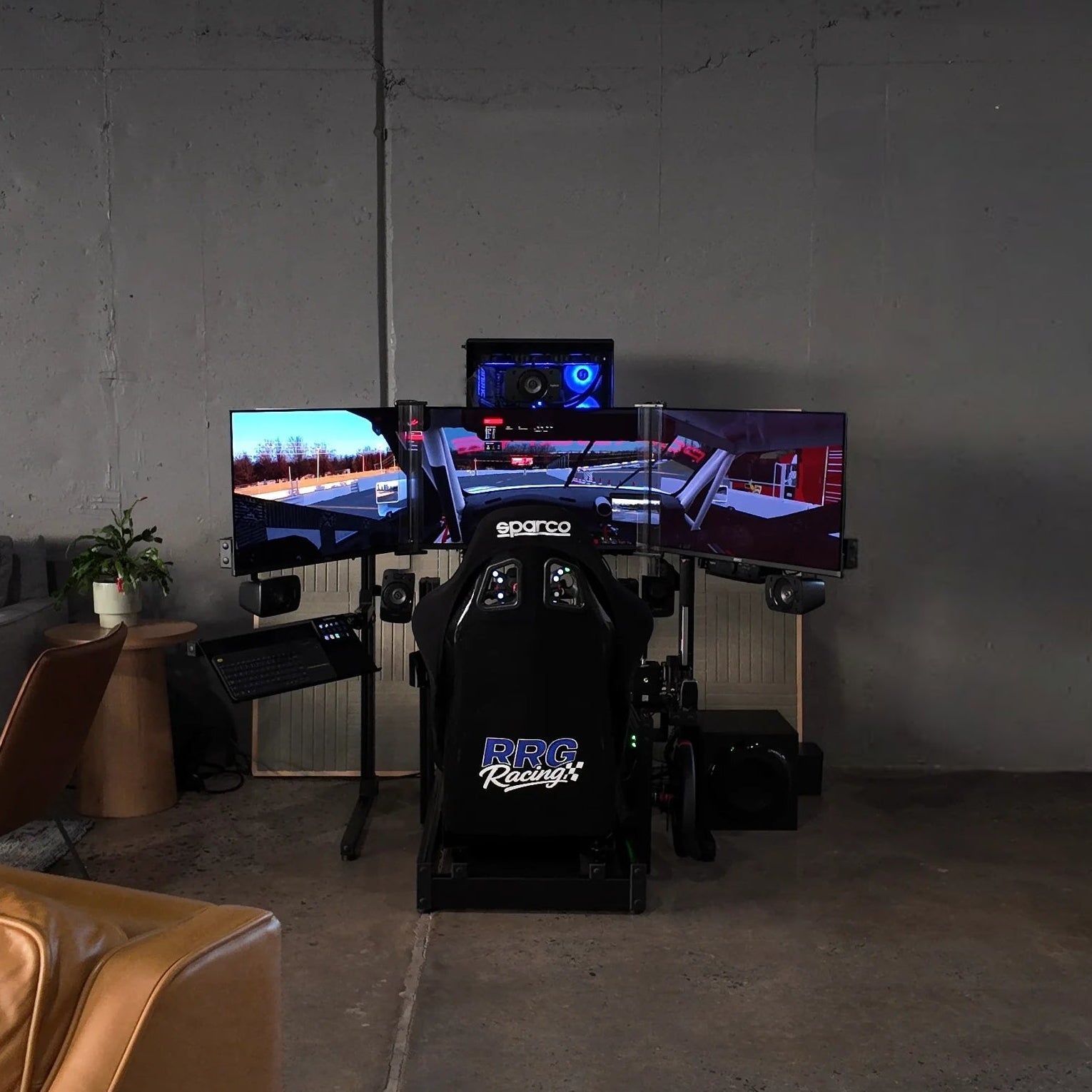
This is the question that kills more sim racing dreams than budget ever does.
You want a rig. You've done the research. You know what wheelbase you want, what pedals make sense, and which screens are calling your name. Then you look at the corner of the room you had in mind and reality sets in. Is that enough space? Will a full cockpit even fit? What about the screens? What about room to actually get in and out of the thing?
Let's put real numbers to this so you can plan with confidence instead of guessing.
The Minimum Footprint: What a Rig Actually Occupies
A racing simulator chassis, from the tip of the pedal plate to the back of the seat, typically runs between 55 and 70 inches in length depending on the design and how tall you are. Width depends on the frame style but most aluminum profile or steel tube cockpits sit between 26 and 36 inches wide at the base.
That's the rig alone. Before you add screens, a PC, speakers, or room to actually move around it.
Here are the realistic space requirements by setup type:
Single Monitor Setup
Minimum room footprint: roughly 5 feet wide by 6 feet deep.
A single screen rig is the most compact option. The monitor sits directly in front of the cockpit, either mounted to the chassis itself or on a small stand behind the wheel deck. You need enough depth for the full rig plus the screen distance (typically 24 to 36 inches from your eyes to the panel) and enough width for the cockpit plus a few inches of clearance on either side to get in and out.
A 5 by 6 foot area in the corner of a room, garage, or basement works. This is roughly the footprint of a large desk setup, which makes it viable for shared spaces like home offices, spare bedrooms, and bonus rooms.
Triple Monitor Setup
Minimum room footprint: roughly 6.5 feet wide by 6 feet deep.
Triples change the space equation significantly. Three 27 inch monitors in a standard angled configuration span approximately 5 to 5.5 feet in total width. Three 32 inch monitors push that closer to 6 to 6.5 feet. You also need more depth because the side monitors angle back toward the driver, extending the total front to back measurement.
Add clearance to get in and out, space for cable management behind the screens, and room for a PC tower, and you're looking at a dedicated footprint that's hard to share with other furniture.
VR Setup
Minimum room footprint: roughly 4.5 feet wide by 6 feet deep.
VR is the most space efficient visual option because there are no external screens at all. The rig footprint is the rig footprint. You need the cockpit plus enough room to sit down and stand up comfortably, and that's essentially it.
If space is your primary constraint, VR makes the math work in situations where triples or even a large single monitor simply won't fit.
Motion Platform Setup
Add 6 to 12 inches of height. Add 4 to 8 inches of width and depth.
A motion platform sits underneath your rig and adds to every dimension. The platform itself raises the cockpit, which means you need more ceiling clearance (important in basements and rooms with low ceilings). It also adds width and depth to the overall base. And because the platform moves, you need clearance around it so it doesn't contact walls, furniture, or anything else during operation.
Measure your ceiling height before committing to motion. A seated driver on a motion platform in a standard cockpit needs roughly 5 to 5.5 feet of vertical clearance minimum. A basement with 7 foot ceilings will work. A basement with drop ceiling tiles at 6.5 feet might not.
The Dimensions Nobody Thinks About
Beyond the raw footprint, there are spatial considerations that catch people off guard after the rig is already assembled.
Ingress and egress. You have to get into the rig and out of it. This sounds obvious until you realize that a cockpit wedged tightly between a wall and a desk has no practical entry point. Leave at least 18 to 24 inches on one side (preferably the driver's dominant side) for stepping in and swinging your legs over the side bolster.
PC placement. Your PC needs airflow. Stuffing it under the rig or in a tight enclosed space next to the cockpit will cause thermal issues, especially during long sessions. If possible, position the PC where it can breathe, either on a shelf with open sides or on the floor with a few inches of clearance around it. Also consider noise. A gaming PC under load is not quiet, and if it's right next to your head, you'll hear it over the sim audio.
Ventilation and temperature. A running sim rig generates heat. Three monitors generate heat. A PC under load generates heat. A motion platform motor generates heat. In a small enclosed room, temperatures can climb noticeably over a long session. If your sim space doesn't have adequate airflow or a vent from your HVAC system, consider a small fan or portable cooling solution.
Room by Room: Where People Actually Put Their Rigs
Spare Bedroom
This is the most common location for home sim rigs and it works well for most setups. A standard 10 by 10 foot bedroom comfortably fits a triple monitor rig with room for a PC, a small table or shelf, and space to move around. A 10 by 12 or larger room feels spacious with a full cockpit setup.
Downsides: noise can carry to adjacent rooms, especially during evening sessions. If the bedroom shares a wall with a sleeping area, consider your session timing and possibly some basic sound dampening.
Garage
Garages offer generous space and the ability to make noise without disturbing anyone. Many sim racers build their rigs in a two car garage alongside their actual vehicles, which has a certain poetic appeal.
Downsides: temperature extremes. An uninsulated garage in Georgia in July will be brutal, and a garage in Minnesota in January won't be much better. If you're going the garage route, plan for climate control. A mini split unit, a space heater, or at minimum a good fan setup will make the difference between a usable space and a seasonal one. Dust is also a concern in garages, and dust is the enemy of electronics.
Basement
Basements are excellent for sim rigs. They're typically cool, quiet, and out of the way. The main concern is ceiling height, especially if you're considering a motion platform.
Measure from the floor to the lowest obstruction (pipes, ductwork, drop ceiling tiles) and make sure you have clearance for the rig, the platform if applicable, and your head when seated.
Living Room or Shared Space
This works if your household is on board with it. A sim rig in the living room is a statement piece that will generate conversation and interest from every guest who walks in. It also takes up a significant portion of the room and produces noise that may conflict with other activities.
If you're going this route, consider a rig with a clean, organized aesthetic. Cable management matters more here than anywhere else. A well built aluminum profile cockpit with tidy wiring can look like a piece of equipment, not a mess.
The "Can I Use This Space for Other Things Too?" Question
Yes, but with caveats.
A sim rig on a wheel stand (a portable frame that holds just the wheelbase and pedals, paired with a separate chair) can be folded up and moved out of the way between sessions. This is the most flexible option for shared spaces, but it sacrifices the rigidity and immersion of a full cockpit.
Some builders install their rigs on casters (locking wheels) so the entire cockpit can be rolled to the side of the room when not in use. This works on hard floors. On carpet, it's significantly less practical.
Planning Template
Before you buy anything, do this:
Step one: Measure the space you have in mind. Length, width, and ceiling height. Write the numbers down.
Step two: Decide on your display type (single, triples, or VR). This determines the width and depth requirements more than any other factor.
Step three: Check for electrical outlets. You'll need at least two accessible outlets for the PC, monitors, and rig components. If the nearest outlet is across the room, plan for extension cords or a power strip with adequate rating.
Step four: Check for internet access. If you plan to race online (and you should), a wired ethernet connection is strongly preferred. Is there a router nearby, or will you need to run a cable?
Step five: Mock it up. Before ordering the rig, use painter's tape on the floor to mark the approximate footprint. Sit a chair in the middle of the taped area and look around. Can you get in? Can you get out? Is there room for screens at the right distance? Does anything feel cramped?
This five minute exercise has saved more builds from frustration than any buying guide ever written.
The Bottom Line
A basic single monitor sim rig fits in a space roughly the size of a large desk. Triples need a dedicated area about the size of a small home gym setup. VR needs barely more than the cockpit itself. Motion adds to everything.
The space you need is almost certainly less than you think, but only if you plan it correctly. Measure first. Mock it up. Account for the details that don't show up in product photos: cables, airflow, entry, and the PC that powers it all.
The best sim rig is one you can sit down in every day without fighting your living situation to do it.
RRG Racing designs turnkey simulator builds that fit your space, your goals, and your life. Whether you're working with a dedicated room or a tight corner, we spec rigs that make the most of what you have. Based at Atlanta Motorsports Park in Dawsonville, Georgia. Visit rrgracing.com to start planning your build.
Share:
Single Screen, Triples, or VR? Choosing the Right Visual Setup for Your Budget
The Growing Role of Simulators in Motorsports Parks and Entertainment Venues